


 771
771
The Family Educational Rights and Privacy Act (FERPA) is a federal law that affords students certain rights with respect to their education records, in particular, the privacy of those records. Relay fully complies with the provisions outlined in FERPA. To learn more about Relay’s compliance with FERPA regulations, please visit this support article.
Because of FERPA, Relay cannot share certain information about your enrollment, academic progress, certification status, or financial standing with a third party — including your employer or school leader — unless you give us permission.
Why Might I Sign a FERPA Release?
Signing a FERPA release allows Relay to communicate directly with your employer when needed to support your success.
This may include sharing information related to:
- Enrollment or registration status
- Academic progress or standing
- Certification/licensure progress
- Program participation requirements
- Financial aid or billing concerns that may impact your enrollment
Why is This Helpful?
Signing a FERPA release can help:
- Streamline communication between Relay and your employer
- Permit your parents/guardians, spouse, or other close relative access to information they may need
- Support certification and employment requirements
- Prevent delays related to missing documentation or program requirements
Do I have to Sign It?
The FERPA form is optional, and it is helpful in cases where your school does not have a formal agreement in place with Relay, or if your employer covers your tuition.
Relay only shares Directory Information to third-parties. However, signing a FERPA release allows you to give permission for designated individuals to access designated parts of your academic information. This can be especially helpful if someone is assisting you with tasks like paying tuition, discussing your progress, or supporting you through academic or certification challenges.
By completing a FERPA release, you stay in control of who can receive your information while making it easier for your support system to help you succeed. It’s a simple step that can make communication smoother and ensure you have the guidance you need when it matters most.
If you are unsure whether you should complete the release, we encourage you to speak with your Manager of Student Success at [email protected].
Where do I Access and Complete the FERPA Release Form?
To submit your FERPA Release, follow these steps in your My Relay Portal (check out the screenshots in each link if you need help):
- Log in to your My Relay Portal.
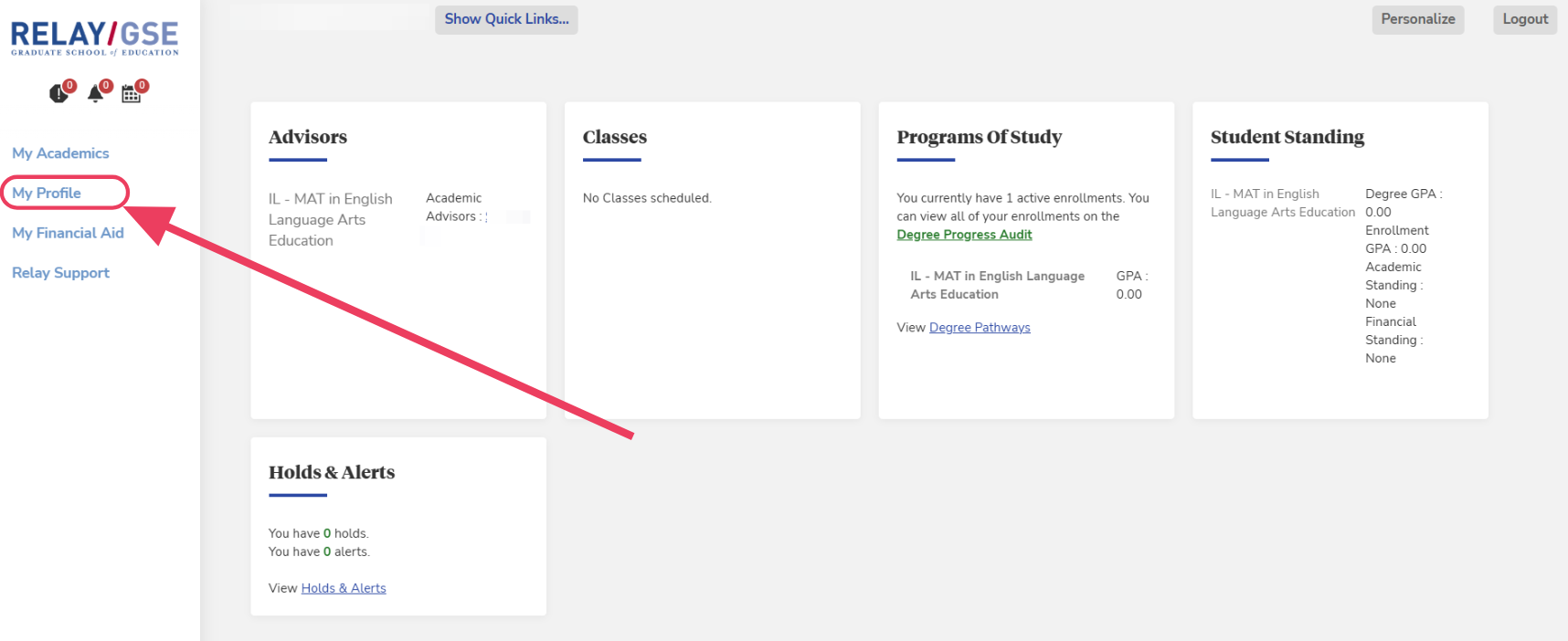
- Go to My Profile.
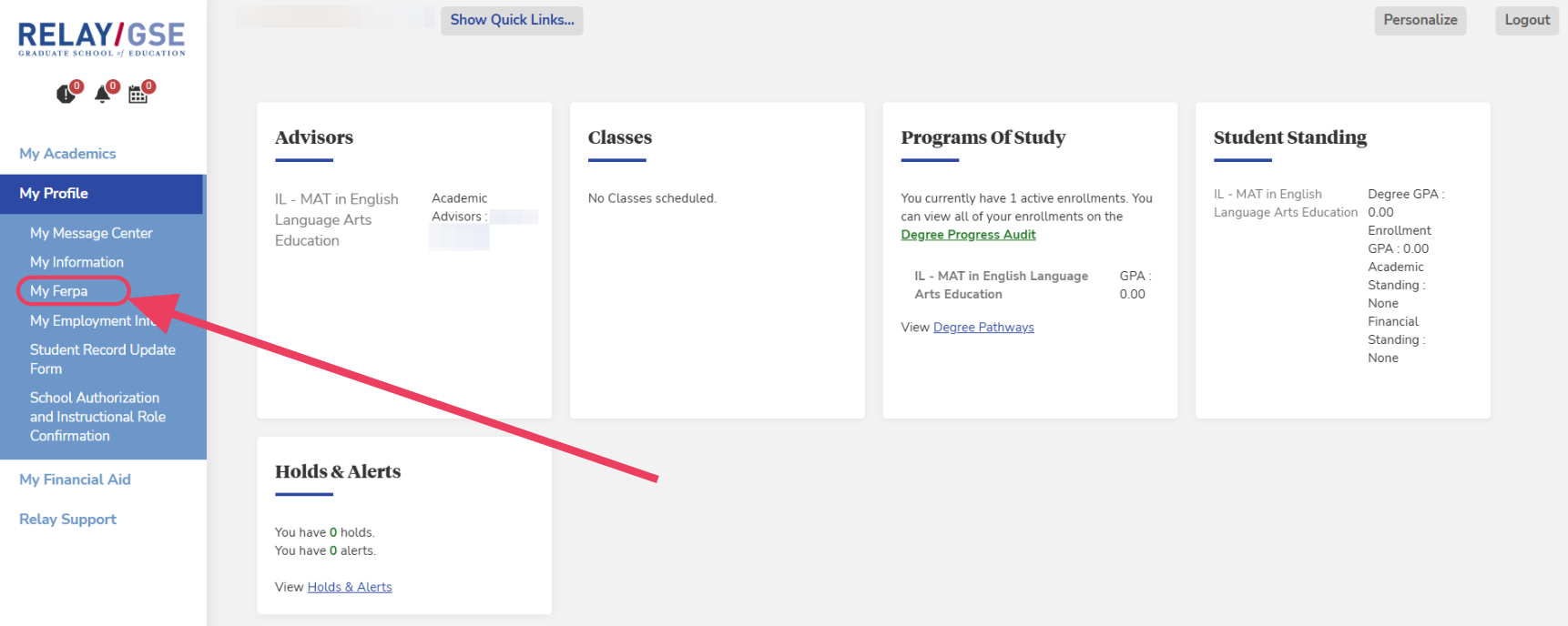
- Go to My Ferpa.
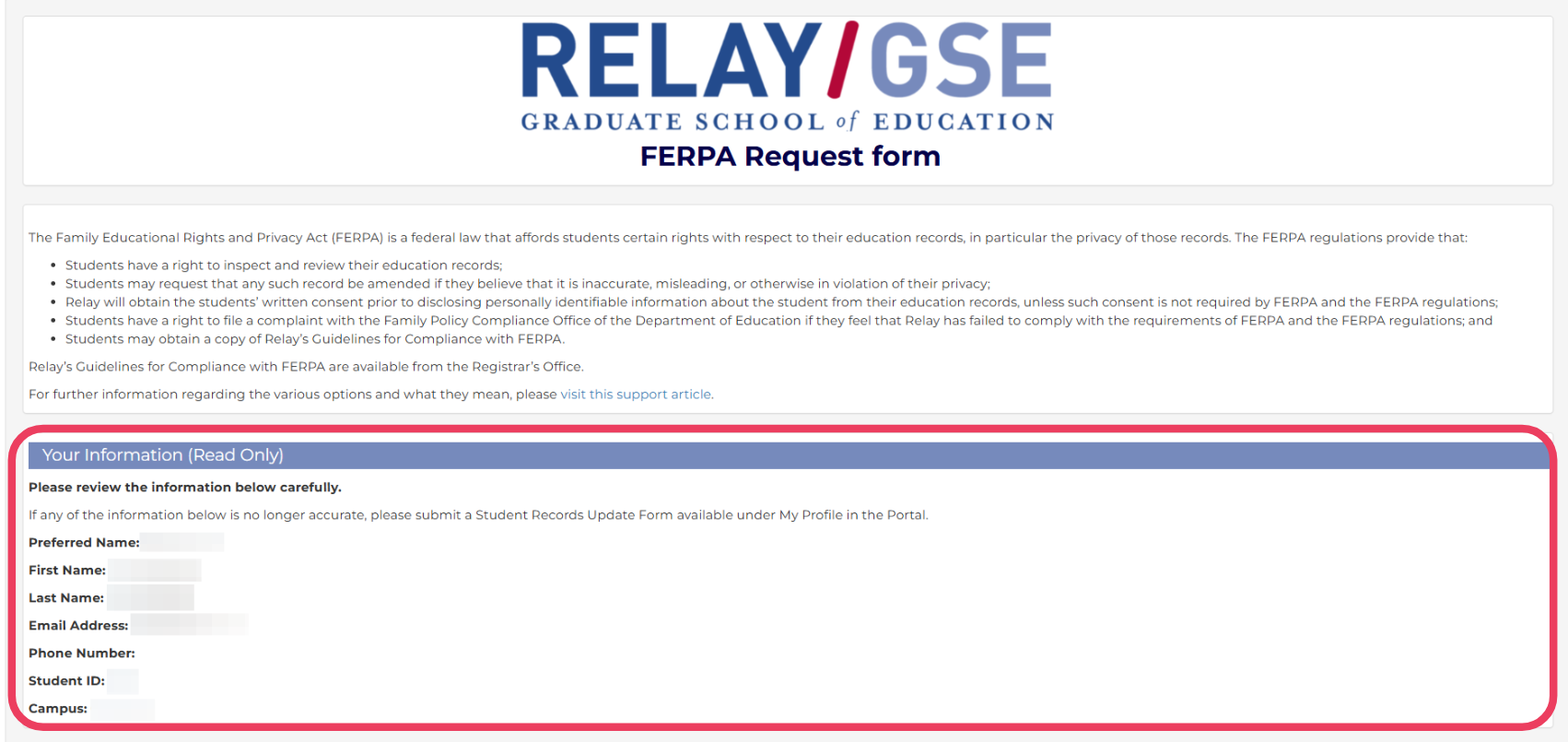
- Review your personal information.
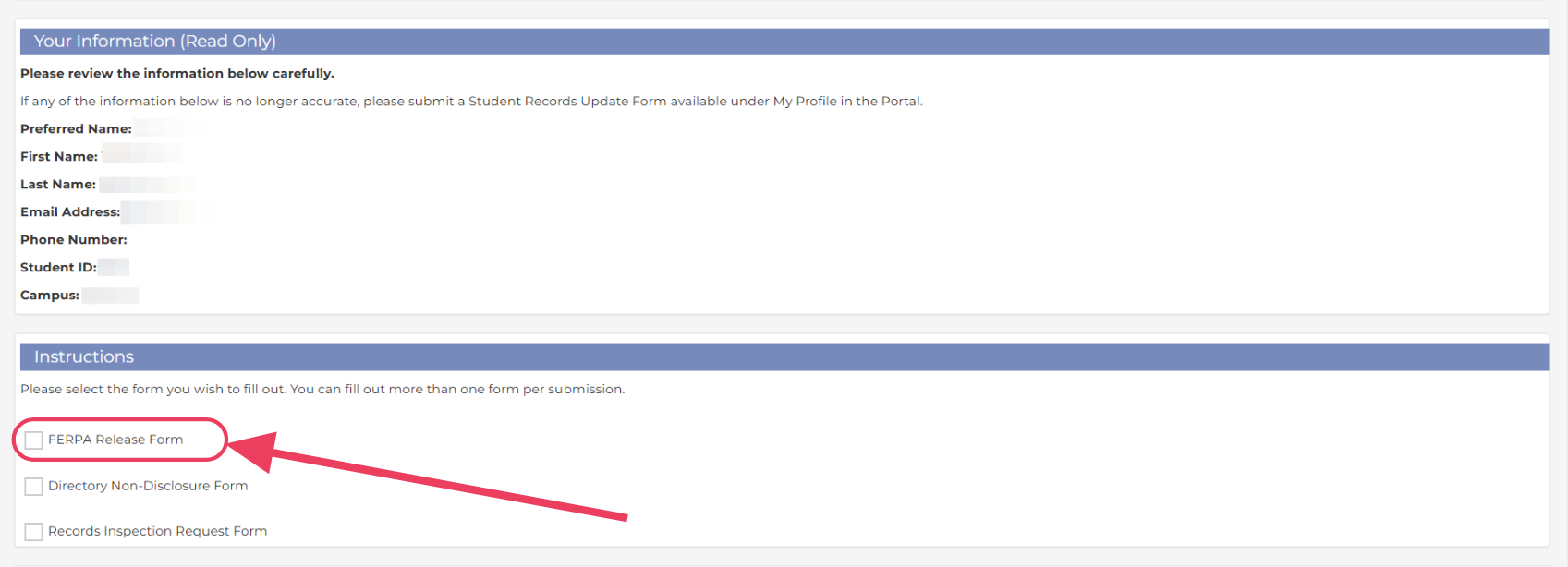
- Once you’ve reviewed your information, scroll down and select FERPA Release Form, then click “Next”.
- Under the “Release Information or Cancel Release” section, select Release information to the third party that I list below.

- You will be prompted to select if the release is for an individual person or group/organization.

- If the release is for an individual person* --
- Provide contact information for the person, including name, a description of who the person is (e.g., parent/guardian, spouse, etc.), email address, etc.
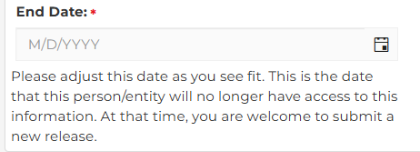
- Please select an End Date as you see fit for this release to be active. If you do NOT adjust the date, the release will automatically add a date 2 years from today.
- If the release is for an organization/entity* --
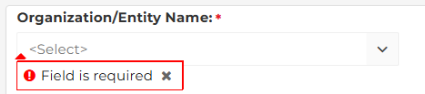
- Select the Organization/Entity from the drop down menu.
- Provide contact information for the organization/entity, including Attention field, email address, etc.
- In the Attention field, please add a name of whom we can release information. If you are unsure of a specific name, please add a department or title of an official (e.g., Principal, Vice-Principal, Human Resources, etc.)

- In the Attention field, please add a name of whom we can release information. If you are unsure of a specific name, please add a department or title of an official (e.g., Principal, Vice-Principal, Human Resources, etc.)
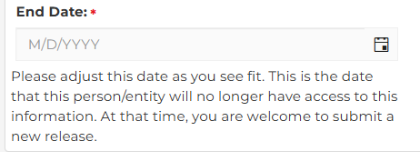
- Please select an End Date as you see fit for this release to be active. If you do NOT adjust the date, the release will automatically add a date 2 years from today.
- If the release is for an individual person* --
- Please select if you want all information shared with the person or organization/entity OR just certain information.

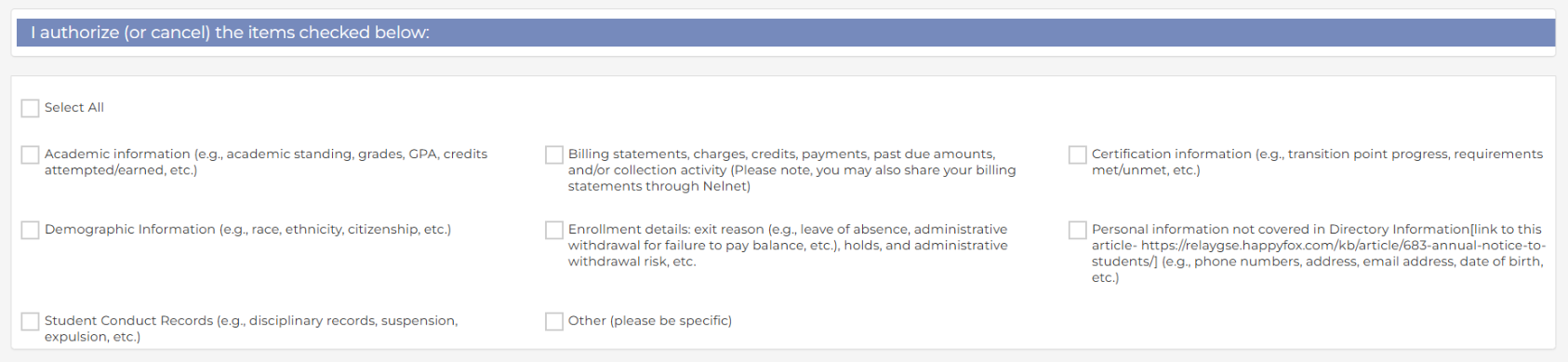
- If you select "Relay may share on the selected information below", you will be prompted to make selections of which information you want shared.
- If you select "Relay may share on the selected information below", you will be prompted to make selections of which information you want shared.
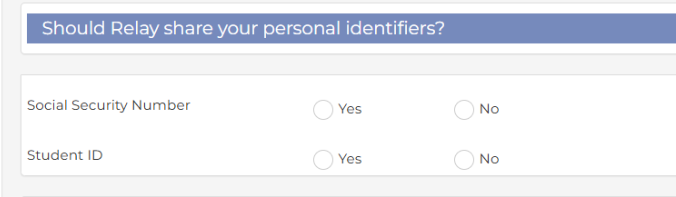
- In rare cases, a student may need to have their Social Security Number (SSN) shared, please select if you need to share your SSN (you will need to confirm the last 4 digits we have on file) and/or Student ID.
- Once you've made ALL your selections, you will be required to select the "Confirmation" box and to sign (by typing) your "Full Legal Name".

- Once you've finished with your selections and confirmation, please submit your form for it to take effect.

*Please note, if you’d like to have a release on file for multiple people and/or organizations/entities, you must submit a new form for EACH release
You can update or remove the release anytime.
Questions?
If you have questions about FERPA or your release, please contact us at [email protected].

